Reach and impressions sit next to each other in every Meta ads report, and they behave in opposite ways. Impressions add up. Reach doesn't, and the most common reporting mistake with Meta ads is adding it up anyway. Here is the difference, why it matters, and what to put in front of a client.
Two different counts
- Impressions are the number of times your ads were on screen. If someone scrolls past an ad and back to it, that is still one impression, and a video doesn't need to start playing for the impression to count (Meta).
- Reach is the number of people who saw your ads at least once. Someone who saw your ad five times is five impressions but one person reached.
"People" has a specific meaning here. When someone has connected their Facebook and Instagram accounts in Accounts Center, Meta counts them as one person; when they haven't, their accounts count separately (Meta).
Why reach doesn't add up
Reach is de-duplicated: each person is counted once, however many of your ads they saw. Add up the reach of two ad sets and anyone who saw both is counted twice (Meta).
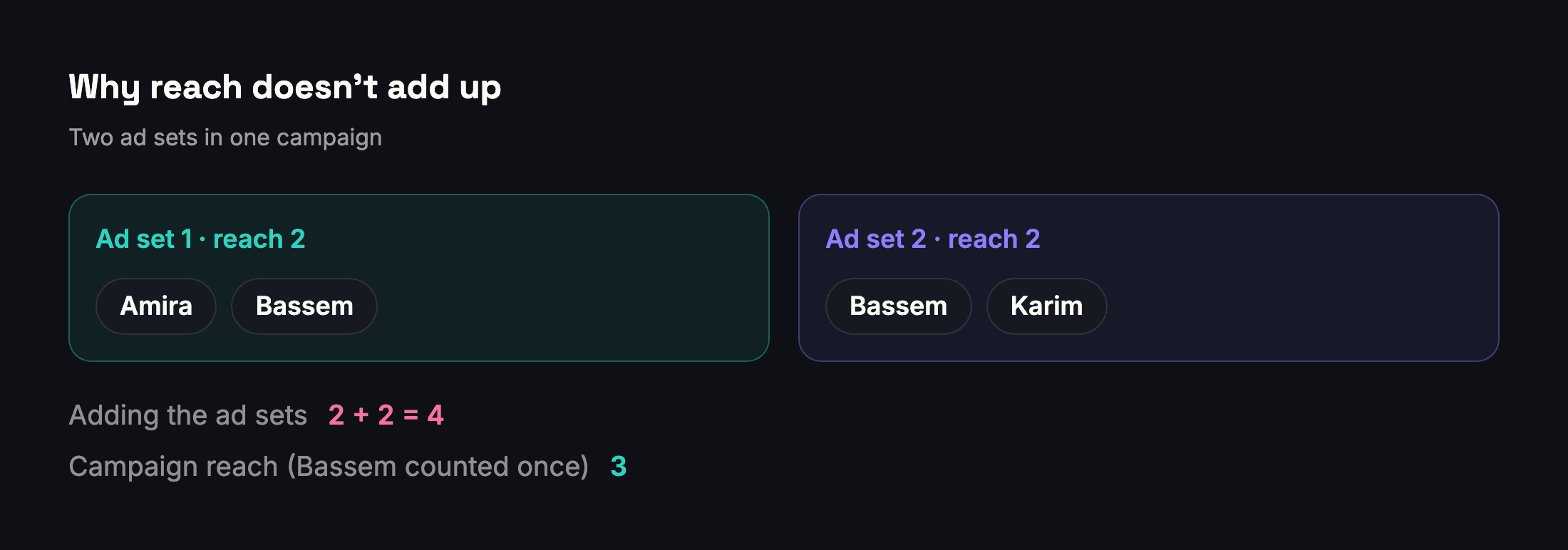
The same thing happens at every level:
- Ads and ad sets: the campaign's reach is lower than the sum of its ad sets or ads.
- Campaigns: the account's reach is lower than the sum of its campaigns.
- Days: a month's reach is lower than the sum of its daily reach, because the same people see your ads on several days.
- Ad accounts: two ad accounts can reach the same people, so adding their reach together overstates the people reached.
The gap is not small. On real accounts we have checked, Meta's de-duplicated reach was about 28% lower than the sum of the individual ads, and 5% to 11% lower than the sum of the campaigns.
Small differences between levels are normal
Metrics that count people are estimates: Meta calculates them from sampled data (Meta), and different levels use different samples. So even after removing duplicates, a campaign's reach can differ slightly from what you'd expect from its ad sets. That is a property of the metric, not an error in your report.
Frequency comes from reach
Frequency is the average number of times each person saw your ads, calculated as impressions divided by reach (Meta). If reach is summed and therefore too high, frequency comes out too low, and ad fatigue stays hidden. Calculate frequency from the same de-duplicated reach you report.
What to report
| You want | Report | Not |
|---|---|---|
| People reached in September | Reach for 1–30 September | The sum of daily reach |
| People reached by a campaign | The campaign's reach | The sum of its ad sets |
| How often people saw the ads | Impressions ÷ de-duplicated reach | Impressions ÷ summed reach |
| Reach for two ad accounts together | Each account's reach, separately | Their sum presented as exact |
How Adams Analytics handles it
The Account Detail and Account Summary screens in Adams Analytics show Meta's de-duplicated reach for exactly what you selected, and frequency is worked out from it. When several ad accounts are combined, the total is labelled as an estimate, because adding accounts together can count the same people twice. See how it works.
Questions
What is the difference between reach and impressions?
Impressions count how many times your ads were on screen. Reach counts how many people saw them at least once. One person can produce many impressions but only one unit of reach.
Why is my campaign’s reach lower than the sum of its ad sets?
Because reach counts each person once. Anyone who saw ads from two ad sets is counted twice when you add the ad sets up, but once in the campaign’s reach.
Can I add up daily reach to get monthly reach?
No. The same people see your ads on several days, so the sum of daily reach overstates monthly reach. Ask Meta for the reach of the whole month.
How is frequency calculated?
Frequency is impressions divided by reach. Use de-duplicated reach; a summed reach makes frequency look lower than it is.
Why does reach differ slightly between levels even after de-duplication?
Reach is an estimate calculated from sampled data, and different levels use different samples, so small differences are normal.
Sources
Send your next client report in minutes
Adams Analytics connects to your Meta ad accounts and builds branded PDF reports in English or Arabic. Free for 7 days — no credit card.
Start free trialWritten by the Adams Analytics team and checked against Meta’s documentation and our own product. Spotted something out of date? Tell us at support@buildincairo.com.