Clients who boost Facebook posts ask the same question: how much of this came from the ad? Meta can answer it for every post. The common mistake is answering it once for the whole Page and then applying that answer to every post, which makes most of them wrong.
Meta splits views by whether they came from ads
Meta reports views for a Page and for each post, and both can be broken down by whether the view came from an ad (Meta). So for any post you can say: this many views came from ads, and this many didn't.
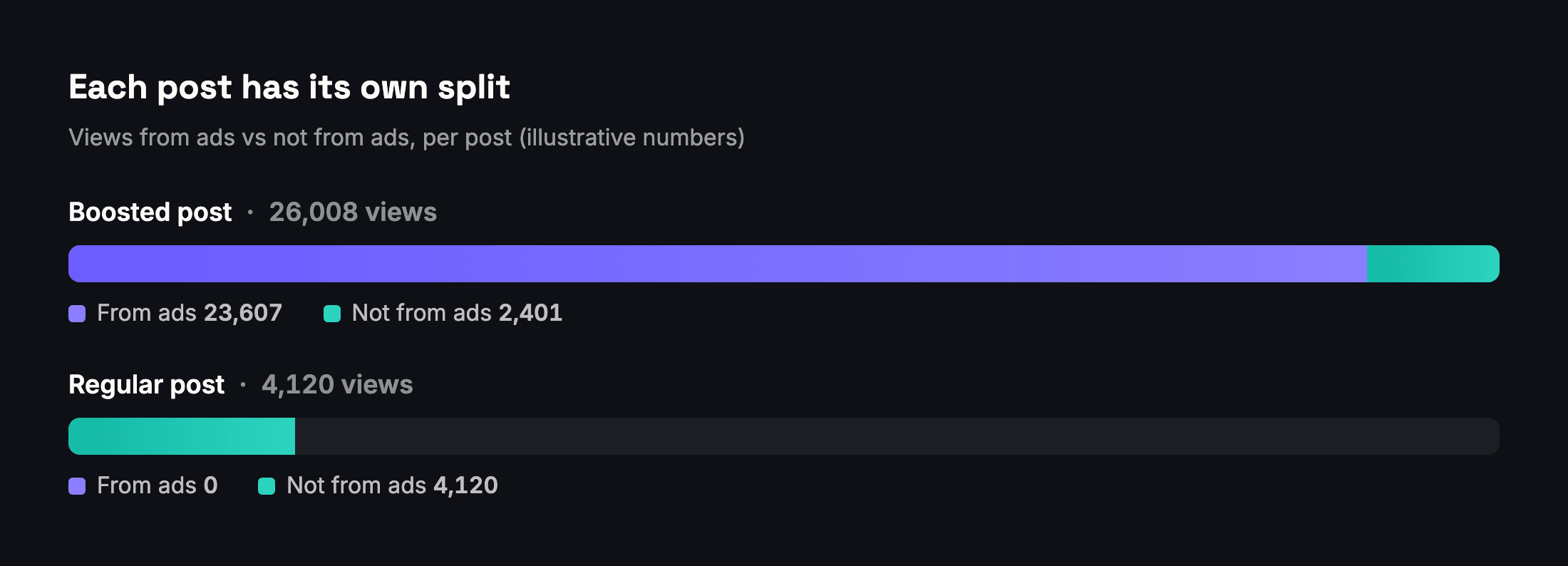
That gives you a clean rule for labelling posts:
- Boosted: some of its views came from ads.
- Organic: none of its views came from ads.
- Unknown: Meta returned no split for it. Say so; don't call it organic.
Don't spread a Page-wide percentage across posts
Suppose a Page published 100 posts in a month and boosted 20 of them, and 85% of the Page's views came from ads. It's tempting to apply that 85% to every post. But ad views land on the 20 boosted posts. The other 80 posts had no ad views at all, and an 85% paid label would be wrong for every one of them.
What you can split, and what you can't
| Metric | Split by ads? | Split by followers? |
|---|---|---|
| Views (Page and post) | Yes | Yes |
| Unique viewers (Page and post) | No | No |
| Clicks on a post | By click type | No |
- Views can be split two ways: from ads or not, and from people who follow the Page or not (Meta).
- Unique viewers, the people count that replaced reach, have no such breakdowns in Meta's documentation. A "paid reach" figure for a post would therefore be an estimate, and should be presented as one or left out.
- Clicks are broken down by type. In the data Meta returns, link clicks are one of the types, next to photo views and video plays, so you can report the clicks that went to a website separately from all clicks.
Followers vs non-followers
The followers split shows how far a post travelled beyond the Page's existing audience. Use it to answer "did this post find new people?", which matters for a growth goal, and is a different question from "did it get views?".
How to report it
- Label each post as boosted, organic or unknown from its own split.
- Report organic performance on organic posts only. Comparing a boosted post's totals with an organic post's totals mostly measures the budget.
- Show views from ads and not from ads side by side for boosted posts, so the client sees what the money added.
- Report link clicks separately from all clicks when the goal is website traffic.
How Adams Analytics handles it
On plans that include Page analytics, Adams Analytics labels each post as boosted or organic from Meta's own split, filters organic and boosted posts, shows views from followers and non-followers, and reports link clicks per post. A post Meta returned no split for is never shown as organic. See how it works or compare plans.
Questions
Can I see how many views of a Facebook post came from ads?
Yes. Meta breaks each post’s views down by whether they came from an ad, so you can report views from ads and views not from ads for every post.
Can I see paid reach for a post?
Meta documents the ads split for views, not for unique viewers. A paid reach figure for a post would be an estimate, so present it as one or leave it out.
Why shouldn’t I apply the Page’s paid percentage to each post?
Because ad views land on the boosted posts. Spreading a Page-wide share across every post makes posts that were never boosted look paid.
What does “views from followers” mean?
Views from people who follow the Page, as opposed to people who don’t. It shows how far a post reached beyond the existing audience.
How should I report organic performance when some posts were boosted?
Use only the posts with no views from ads. Comparing boosted and organic posts’ totals mostly measures the ad budget, not the content.
Sources
Send your next client report in minutes
Adams Analytics connects to your Meta ad accounts and builds branded PDF reports in English or Arabic. Free for 7 days — no credit card.
Start free trialWritten by the Adams Analytics team and checked against Meta’s documentation and our own product. Spotted something out of date? Tell us at support@buildincairo.com.